
Special perks just for teens and their parents
No overdraft or monthly service fees*
And no minimum balance requirements, too!
More than just a debit card
Free custom debit card and the ability to make everyday purchases with a digitally issued card as well.
Parental controls
The ability for parents to monitor their teen's finances.
55,000 free ATMs
As part of the Allpoint® ATM Network, access 55,000 free ATMs at convenient locations like Target®, Walgreens® and CVS®.**
Savings
Pair your Start Smart Checking Account with a Start Smart Savings Account to grow your savings.
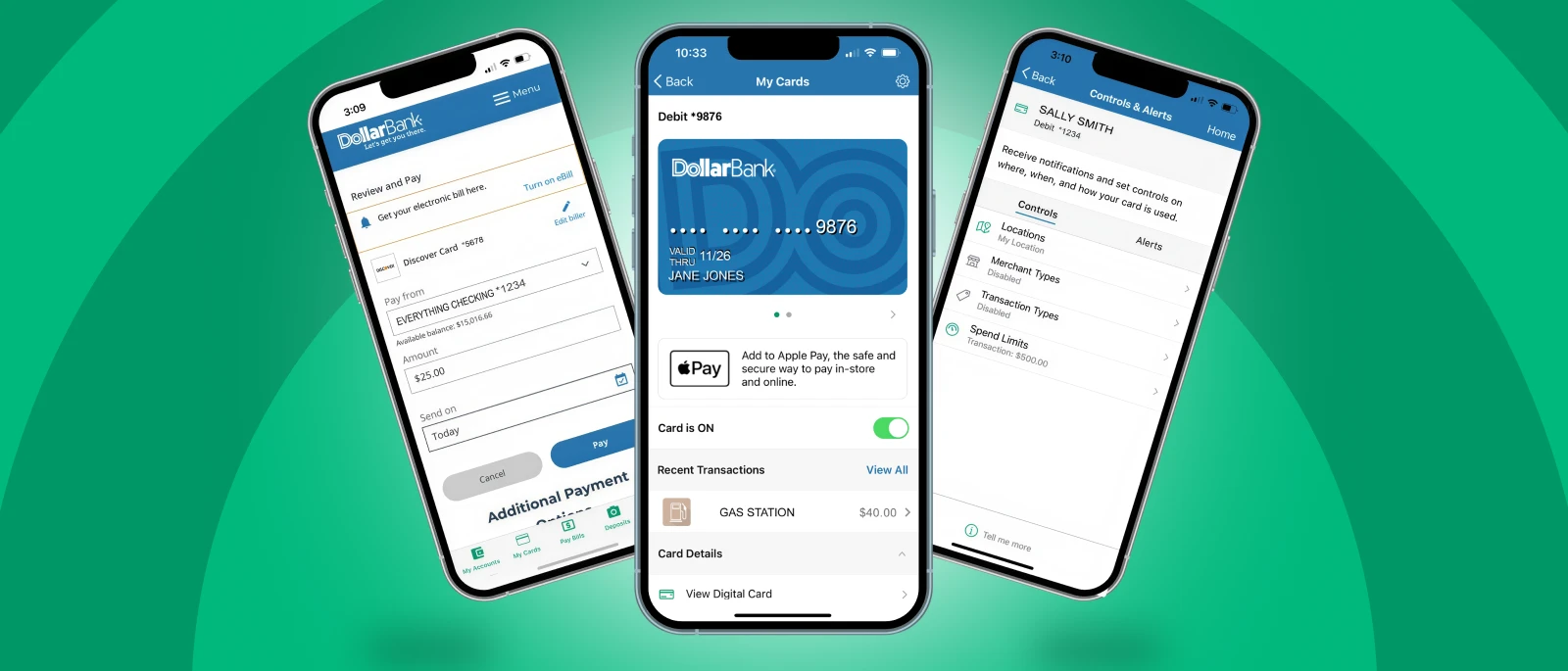
With Dollar Bank’s mobile app, teens can learn how to manage their money while parents can monitor their spending and help guide them every step of the way.
- View up-to-date activity and balances
- Easily transfer money between Dollar Bank accounts and from external bank accounts
- Get spend insights to learn what, when and where money is going to better understand spending habits
- Set up automatic savings
- Access your digitally issued card in My Cards shortly after your account is opened and has available funds
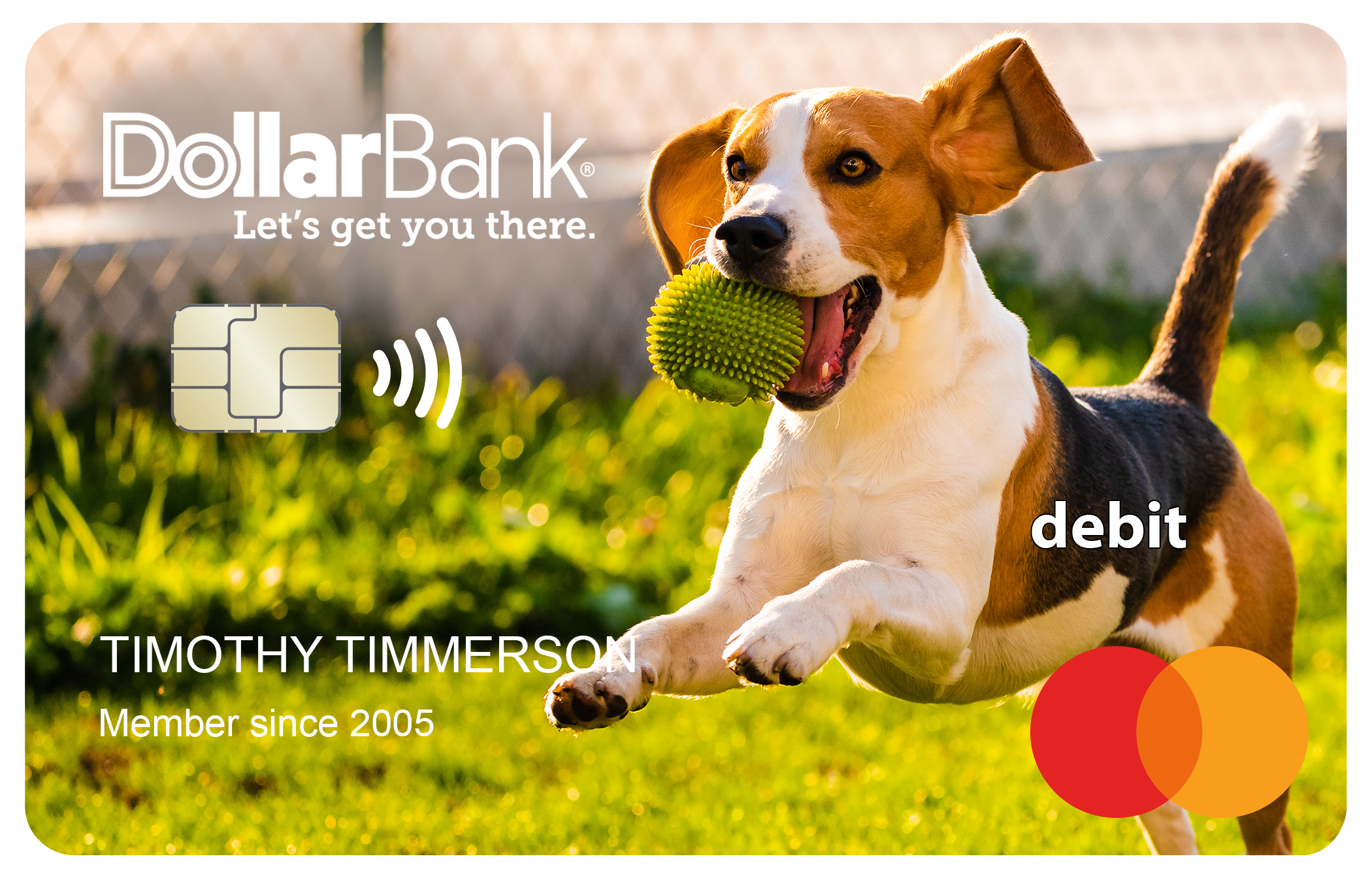
Get a debit card that gives teens the freedom to spend confidently and the security parents can feel good about.
- Get a free custom debit card
- Add your debit card to your digital wallet
- Turn a lost debit card off and turn it back on if it's found
- Get real-time fraud alerts
Start Smart Checking is certified by Bank On
What does Bank On certification mean?
Start Smart Checking meets Bank On's National Account Standards and is certified as a safe, affordable checking account with no overdraft fees, low monthly costs and tools to help customers manage their money.
Accounts certified by Bank On provide safe, low-cost banking options.

Enjoy extra savings!
- Don't forget to add a Start Smart Savings Account with your Start Smart Checking Account and begin to earn a great rate! With both a checking and savings account, you're one step closer to smart spending, stronger saving and financial confidence.
- Earn a great rate on a Relationship CD!
Account details
- Minimum to Open
-
$25
- Monthly Service Fee
- $0
Statement Options
-
Free electronic or $2 mailed
FAQs
This account must be opened in-office with a parent or guardian as a co-owner. A minimum opening deposit of $25 is required.
Anyone in Dollar Bank’s market areas between the ages of 13 and 17, along with a parent or guardian over the age of 18 as a co-owner, can qualify for a Start Smart Checking Account.
Parent/guardian must have one of the following:
- Valid, non-expired US/US Territory Driver's License with photo
- Valid PA/OH/VA/MD/WV/NC Driver License Learner's Permit with photo
- Valid, non-expired PA/OH/VA/MD/WV/NC State ID with photo
- Valid, non-expired Ohio Interim Driver's License with photo
- Valid, non-expired US passport/US passport card with photo
- Valid, non-expired Military/Armed Forces ID with photo
If a minor does not have any of the acceptable IDs listed above, they must have: Learner's Permit, School ID, Social Security Card or Birth Certificate.
- Document must be original (we cannot accept copies or screenshots)
- Documents must be valid, non-expired
There is no monthly service fee.
Allpoint
Dollar Bank is part of the Allpoint® ATM Network, which provides free access at more than 55,000 ATMs worldwide for Start Smart Checking customers.
Use Allpoint ATMs at many convenient locations that you visit daily like Target®, Walgreens® and CVS®. Because Allpoint is a worldwide network, you’ll find Allpoint ATMs near school, work and at your favorite vacation spots too. No sign up is required. Simply use your current Dollar Bank Mastercard® Debit Card or ATM Card to get cash at any Allpoint ATM.
Just look for the Allpoint logo on the ATM machine or visit our locations page for a list of convenient Allpoint ATMs.
Freedom
Freedom ATM Alliance® is a free ATM network for Start Smart Checking customers, offering more than 600 ATMs! Visit our locations page to find your nearest ATM.
Yes. A Start Smart Savings Account can be opened on its own. However, pairing it with a Start Smart Checking Account makes it easier to manage your money, transfer funds between accounts, build savings automatically and take advantage of all the benefits of Start Smart Banking.
Using the My Cards section in the mobile app, you can add your debit card to Apple Pay, Samsung Pay and Google Pay. There will be steps to confirm your identity. Once you have completed the steps, your card will be available in your mobile wallet.
Start Smart Checking comes with no overdraft fees ever.*
Dollar Bank Mobile App
Step one: Select Manage Cards.
Step two: Select Add Card or swipe card image to add card.
Step three: Key in minor's debit card number and Select Continue.
Step four: Card verification code will go to the primary phone number or the email address on record on that account (either of which could be the minor's) so the parent/guardian would need to get the code from the minor in that case.
Note: If the minor on the account accesses My Cards through their Online Banking, the minor can set controls and alerts which will override the parent/guardian's settings.
Online Banking
Step one: Select Manage Cards.
Step two: Select Add Card in the dropdown menu to add card.
Step three: Key in minor's debit card number and Select Next.
Step four: Card verification code will go to the primary phone number or the email address on record on that account (either of which could be the minor's) so the parent/guardian would need to get the code from the minor in that case.
Note: If the minor on the account accesses My Cards through their Online Banking, the minor can set controls and alerts which will override the parent/guardian's settings.
While having a checking account with Dollar Bank makes it easier for the parent/guardian to transfer money to their minor's account, it's not required.
Customers under the age of 18 do not have access to Zelle through Dollar Bank. Options such as Cash App, Paypal and Venmo are available. Visit P2P Payments for instructions on how to connect your debit card to these peer-to-peer payment services.
Yes. You can rename accounts in the Dollar Bank Mobile App.
- Click on the account name in the Account Summary page
- Click Details
- Click Change Account Nickname to rename the account in Online Banking
Check writing is not available on a Start Smart Checking Account.
Before turning 18, Dollar Bank will mail you a letter with details about your account transition. Your Start Smart Checking Account will automatically convert to an Independence Checking Account, an account designed specifically for the banking needs of 18 - 24 year olds.
Featured articles

Teen Talk: Creating a Monthly Budget You’ll Use
Teen Talk: Interview Tips to Help You Get the Job You Want
Teen Talk: How to Find a Job
Disclosures
*Certain transactions are not subject to decline. If any such transaction causes a negative balance, no overdraft fee will apply.
**Surcharges from other banks not in the Allpoint or Freedom Alliance networks may apply when using your debit Mastercard® or ATM card.
Zelle® and the Zelle® related marks are wholly owned by Early Warning Services, LLC and are used herein under license. Terms and conditions apply.
Apple Pay® is a registered trademark of Apple, Inc.
Samsung Pay is a registered trademark of Samsung Electronics Co., Ltd.
Google Pay™ is a registered trademark of Google, LLC.
Cash App is a registered trademark of Block, Inc.
Venmo is a registered trademark of PayPal, Inc.
Mastercard is a registered trademark of Mastercard International Incorporated.